UltraLinq vs Medicai: Zero-Footprint Web Viewer Compared
You are comparing two zero-footprint DICOM viewers and need a straight answer, not a feature list. The wrong pick shows up later as storage headaches, clunky sharing, or a viewer your radiologists refuse to open twice. This comparison focuses on what actually separates the two platforms in daily use.
By the end, you will know how Medicai and UltraLinq differ on viewer diagnostics, cloud PACS and multi-location storage, sharing and AI-supported workflows, and pricing structure. You will get a clear verdict on which platform fits your practice, plus the specific situations where the other choice makes more sense.
Quick Verdict: UltraLinq vs Medicai Zero-Footprint Web Viewer
If you need a zero-footprint DICOM viewer with transparent pricing and broad modality support, Medicai is the stronger choice for most imaging teams; UltraLinq remains a solid option for practices already invested in its ecosystem.
The short version comes down to fit rather than fault. Medicai publishes clear monthly plans starting at $249/month and pairs that with an FDA/CEE cleared viewer that runs in the browser with no installation. UltraLinq has an established following in teleradiology and reading workflows, but its published detail on viewer capabilities and plan structure is thinner, so buyers often need a sales conversation before they can compare costs.
For radiology groups weighing a browser-based viewer, the deciding factors usually fall into three buckets: pricing clarity, clinical credibility, and whether the platform can absorb growth. Medicai addresses all three with public numbers, including 1M+ studies processed per year and 70 clinics and hospitals on the platform. UltraLinq's strengths sit more in its existing teleradiology relationships than in published platform metrics.
Here are the quick takeaways from this comparison:
- Pricing transparency: Medicai lists monthly plans from $249/month. UltraLinq's pricing is not publicly itemized, so expect a quote-based conversation.
- Zero-footprint access: Medicai's HTML5 viewer requires no download or installation and works across platforms. UltraLinq also offers web access, though details of its viewer stack are less documented.
- Clinical credibility: Medicai offers FDA/CEE cleared viewers and follows HIPAA and GDPR compliance, plus OWASP security guidelines. UltraLinq operates in regulated clinical settings as well, with specifics best confirmed directly.
- Scale and reliability: Medicai reports 1.7M+ studies in storage, 50M+ yearly API transactions, and a Microsoft Azure partnership. UltraLinq's infrastructure details are not widely published.
- Modality coverage: Medicai supports multi-modality review across CT, MRI, X-ray, ultrasound, and mammography. Confirm UltraLinq's modality depth against your own case mix.
- Best fit: Choose Medicai for transparent, scalable browser-based imaging; choose UltraLinq if your practice already runs on its reading and teleradiology workflows.
One honest caveat: switching platforms carries real migration effort, and teams deeply embedded in an existing teleradiology vendor may find the status quo easier in the short term. That trade-off is worth naming rather than hiding. Still, for imaging teams that value predictable pricing and a documented compliance posture, the Medicai side of this image viewer comparison is easier to evaluate before you ever speak to sales.
The rest of this article breaks down the zero-footprint viewer itself: how browser-based rendering affects diagnostic image quality, latency, and bandwidth, and where each platform lands on security, interoperability, and AI integration.
At a glance: how Medicai compares to UltraLinq on the features that matter most.
| Feature | Medicai | UltraLinq |
|---|---|---|
| Zero-Footprint Web Viewer | ✓ | ✓ |
What Is Medicai?
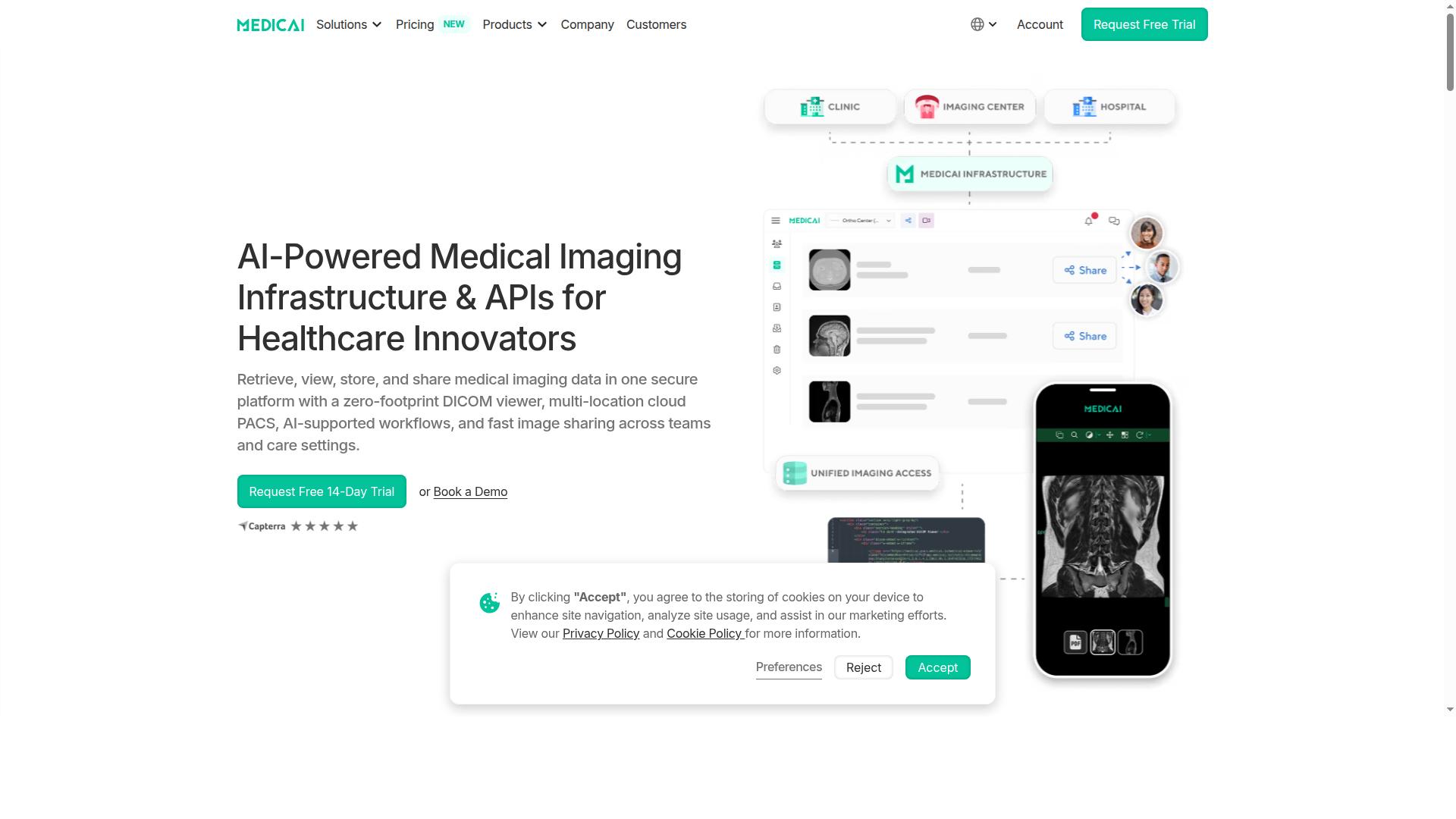
Medicai is a cloud-based medical imaging platform that enables healthcare providers to retrieve, view, store, and share medical imaging data in one secure platform with a zero-footprint DICOM viewer. Rather than asking radiology teams to juggle separate tools for viewing, storage, and exchange, it brings those functions together in a single environment.
The company delivers Imaging Infrastructure as a Service (IIaaS) and is a VC-backed healthcare startup focused on modernizing medical imaging workflows and enabling interoperability. That positioning matters in a zero-footprint viewer comparison, because the viewer is one part of a broader imaging stack rather than a standalone app.
Medicai combines its browser-based viewer with multi-location cloud PACS, AI-supported workflows, and fast image sharing across teams and care settings. The result is a platform built for distributed organizations, where studies need to move between sites, departments, and specialists without friction.
Core capabilities include:
- Uploader for sending imaging studies into the cloud
- DICOM gateway for connecting modalities and existing systems
- Cloud PACS spanning multiple locations
- Image exchange for sharing studies across teams and care settings
- Vendor-neutral archive for long-term, standards-based storage
- Backup and disaster recovery to protect imaging data
For buyers evaluating UltraLinq vs Medicai, this scope is the key differentiator. A zero-footprint web viewer answers the access question, while a vendor-neutral archive and disaster recovery answer the retention and resilience questions that follow.
What Is UltraLinq?
UltraLinq is a cloud-based medical imaging platform that offers PACS and DICOM viewer solutions for healthcare providers. Its core proposition is straightforward: move image storage and viewing into the browser so facilities can reduce reliance on on-site servers and workstation-installed software.
The platform is generally associated with cloud-based PACS and DICOM viewing, aimed at practices that want to access studies from multiple locations without heavy local infrastructure. Users typically interact through a web interface rather than a thick client.
UltraLinq tends to appear in conversations about smaller imaging centers, specialty practices, and teleradiology workflows, where flexible access matters more than deep enterprise customization. Its market positioning is broadly that of an accessible, cloud-first option.
As with any imaging platform, buyers should verify current capabilities directly with the vendor. The points below are general categories worth confirming during evaluation rather than confirmed specifications.
- Viewer type: whether the browser-based viewer is truly zero-footprint or requires plugins or downloads
- Standards support: DICOMweb, HL7, and FHIR interoperability for connecting to other systems
- Security posture: HIPAA compliance, encryption in transit and at rest, audit trails, and role-based access
- Clinical scope: support for multi-modality studies such as CT, MRI, X-ray, ultrasound, and mammography
Understanding these fundamentals helps frame any image viewer comparison, including how a zero-footprint web viewer approach differs from a more traditional cloud PACS setup.
Features Compared
This section compares the core features of Medicai and UltraLinq across viewer experience, storage, collaboration, and AI support. Each area matters differently depending on whether you run a small practice, a teleradiology group, or a multi-site imaging network.
The comparison covers zero-footprint viewer diagnostics, cloud PACS and multi-location support, and sharing, collaboration, and AI workflows. Where UltraLinq details are not publicly documented, claims stay general and hedged rather than assumed.
Use the breakdowns below to weigh which platform fits your reading volume, IT constraints, and long-term imaging strategy.
Zero-Footprint Viewer Experience and Diagnostics
Medicai's zero-footprint DICOM viewer runs entirely in the browser, requiring no installation and providing cross-platform access to diagnostic-quality images. Because it is built on HTML5, radiologists can open studies from a laptop, desktop, or tablet without downloading a client.
The viewer handles multi-modality images including CT, MRI, X-ray, ultrasound, and mammography. Medicai describes its platform as FDA-cleared and CEE-marked, which matters when diagnostic image quality and clinical use are on the line.
For radiology teams, the practical benefits of a browser-based viewer come down to a few factors:
- No installation means faster onboarding for new readers and referring physicians.
- Cross-platform access reduces dependence on specific workstations or operating systems.
- Zero-download access supports remote reading and teleradiology without shipping software.
UltraLinq also offers web-based access to its imaging platform, though the depth of its browser viewer and rendering pipeline is less publicly detailed. On latency, bandwidth efficiency, and rendering quality, Medicai's HTML5 approach is designed for lightweight delivery, while UltraLinq's performance should be confirmed during a hands-on trial.
The takeaway: both platforms reduce the need for installed software, but Medicai's stated diagnostic clearance and multi-modality coverage give it a clearer story for clinical reading.
Cloud PACS, Storage, and Multi-Location Support
Medicai offers scalable cloud PACS with storage plans starting at 500 GB, vendor-neutral archiving, and support for multiple connected locations. The Starter plan includes 500 GB, while the Standard plan steps up to 2 TB and adds one connected location, giving growing practices room to expand.
Beyond raw storage, Medicai pairs its cloud PACS with a vendor-neutral archive, so images from different modalities and source systems can be consolidated in one environment. That structure supports enterprise imaging strategies where long-term retention and system interoperability matter.
Scale is a stated strength. Medicai reports more than 1.7 million studies in storage and over 50 million yearly API transactions, figures that speak to a platform built for sustained imaging volume rather than a single-site deployment.
| Aspect | Medicai | UltraLinq |
|---|---|---|
| Storage model | Cloud PACS with plans from 500 GB to 2 TB and beyond | Cloud-based PACS with tiered storage, details vary by plan |
| Archiving | Vendor-neutral archive included in the offering | Cloud archive generally available, specifics not publicly detailed |
| Multi-location | Standard plan includes one connected location | Multi-site support offered, scope should be confirmed |
| Scalability signals | 1.7M+ studies stored, 50M+ yearly API transactions | Scalable cloud infrastructure, public metrics limited |
UltraLinq provides cloud PACS and storage as well, and its architecture is generally positioned for web access. Specific storage tiers and multi-location terms are best verified directly, since published details are limited.
For organizations planning to add sites or consolidate archives, Medicai's published storage tiers and vendor-neutral approach make capacity planning more transparent.
Sharing, Collaboration, and AI-Supported Workflows
Medicai facilitates sharing and collaboration through its medical image exchange and patient case management, and supports AI integration via partnerships with MD.ai, Rayscape.ai, and others. These tools let care teams move studies between locations and manage cases in one place rather than through ad hoc file transfers.
Collaboration extends to tumor boards support and structured reporting for radiology, alongside doctor and patient imaging portals. For teleradiology groups, the combination of image exchange and case management can reduce the back-and-forth that slows reads.
On the AI side, Medicai's ecosystem includes named partners such as MD.ai, Tquila Automation, FlexView, OHIF, MedDream, and Rayscape.ai, plus a Radiology AI Co-Pilot and AI-powered diagnostics. Interoperability standards including DICOMweb, HL7, and FHIR support integration with existing health IT systems.
UltraLinq offers sharing and collaboration features within its platform, and its AI capabilities are generally positioned as part of a cloud imaging workflow. Specific partner integrations and standards support are less publicly documented, so buyers should confirm them during evaluation.
Security fundamentals matter here too. HIPAA compliance, encryption, audit trails, user authentication, and role-based access are baseline expectations for any cloud-based PACS handling patient images, and both platforms should be assessed against your organization's requirements.
Overall, Medicai's named AI partners and standards-based interoperability give it a more defined path to AI-ready radiology, while UltraLinq remains a credible option whose collaboration depth is best validated in a trial.
Pricing Compared
Pricing is a critical factor in choosing a medical imaging platform; this section compares Medicai's transparent monthly plans with UltraLinq's pricing model.
Cost predictability matters as much as image quality when radiology teams evaluate a zero-footprint web viewer. Medicai publishes its plan tiers and what each includes, so buyers can map storage needs to budget before a single conversation with sales. UltraLinq's pricing is not publicly detailed here, and readers should treat it as a variable that requires a direct quote.
That difference shapes how each platform is evaluated. One model lets you compare options on a spreadsheet today; the other depends on scope discussions and a proposal cycle. For practices that need a cloud-based PACS decision quickly, transparent list pricing removes a layer of uncertainty.
The table below summarizes what is publicly known, with Medicai's figures drawn from its published plans and UltraLinq's left general.
| Factor | Medicai | UltraLinq |
|---|---|---|
| Published list pricing | Yes, monthly and yearly tiers | Not publicly detailed here |
| Entry tier | Starter at $249/month for 500 GB | Quote required |
| User accounts | Unlimited on all listed plans | Quote required |
| Connected locations | None on Starter, one on Standard | Quote required |
| Trial | Free 14-day trial, no credit card | Not publicly detailed here |
Medicai's Transparent Monthly Plans
Medicai offers straightforward monthly billing with a Starter plan at $249/month for 500 GB storage and a Standard plan at $749/month for 2 TB storage and one connected location.
Both tiers include unlimited user accounts, which matters for radiology groups where reading schedules rotate and access cannot be rationed per seat. The Starter tier does not include connected locations, so single-site teams or those beginning a migration can start lean. The Standard tier adds one connected location for practices linking a primary site to the cloud.
Teams that prefer annual commitments can save with yearly billing:
- Starter: $209/month paid yearly, a 15% savings over monthly billing
- Standard: $639/month paid yearly, also 15% below the monthly rate
- Enterprise: custom pricing with custom cloud storage and multiple connected and external locations
Two additional details affect total cost of ownership. A DICOM Gateway setup runs $1,000 one-time per location, which is a capital line item worth budgeting alongside the subscription. Per-study pricing is also available for enterprise customers, giving high-volume organizations an alternative to flat storage tiers.
Evaluation is low-risk: a free 14-day trial of Starter plan features is included, and no credit card is required. Refunds are not available for partial periods, so teams should align billing cycles with go-live dates.
For UltraLinq, pricing is not publicly detailed here. Readers comparing the two platforms should contact UltraLinq directly for a quote and ask what storage, user, and location limits apply at each tier. Without published figures, side-by-side cost comparison depends on the scope of that proposal. Medicai's advantage in this comparison is clarity: the numbers, limits, and add-ons are visible before the first call.
Who Should Choose Medicai
Medicai is ideal for healthcare providers seeking a transparent, scalable, and zero-footprint imaging platform with strong AI integration and multi-modality support. The platform is built for organizations that want browser-based access to medical imaging without installing software on every workstation.
Its multi-modality support covers the exams most imaging teams handle daily, including CT, MRI, X-ray, ultrasound, and mammography. That breadth makes it a practical fit for mixed-volume facilities rather than single-modality niches.
Hospitals and imaging centers are a natural fit. These organizations often need many people to view the same study, from radiologists to referring physicians. Medicai's unlimited user accounts remove the per-seat friction that can slow adoption across departments.
Specialty practices also benefit. Orthopedics, neurology, oncology, radiology, cardiology, ophthalmology, ob-gyn, pulmonology, dentistry, and gastroenterology teams all work with imaging in different ways. A zero-footprint web viewer lets them review studies in the browser without dedicated installs.
Teleradiology groups and virtual care providers depend on access from anywhere. A zero-download, cross-platform HTML5 viewer means readers can open studies on the device in front of them. That flexibility supports distributed reading schedules and remote coverage.
Organizations running tumor boards, clinical trials, and medical education programs also fit well. These use cases bring together multiple viewers who need consistent, browser-based access to the same images.
Compliance-focused buyers should note that Medicai supports HIPAA and GDPR requirements. For providers handling sensitive patient data across regions, that matters as much as image quality. Audit trails, user authentication, and role-based access are the kinds of controls procurement teams typically review during security assessment.
Transparent pricing is another draw. Teams that dislike opaque, quote-only contracts often prefer a platform where costs are easier to predict as user counts grow.
- Hospitals and imaging centers needing broad, multi-user access to studies
- Specialty practices across orthopedics, neurology, oncology, cardiology, and more
- Teleradiology and virtual care teams reading remotely across devices
- Tumor boards, clinical trials, and medical education groups sharing images
- Personal injury lawyers and other authorized reviewers who need controlled access
- Patients using the Patient Portal to reach their own imaging
In short, Medicai suits organizations that value zero-footprint access, transparent pricing, and AI partnerships alongside global availability. If your team spans locations, devices, and user roles, a browser-based platform removes much of the setup overhead that on-premise installs demand. For this article's reader, that combination of scalability and compliance makes Medicai the stronger choice when multi-user, multi-modality access is the priority.
Who Should Choose UltraLinq
UltraLinq may be a suitable choice for practices that are already familiar with its platform or have specific workflow needs that align with its offerings. The decision rarely comes down to a single feature. It usually reflects how a team already works, what its IT resources look like, and how much change it can absorb at once.
Practices that have run UltraLinq for years often value continuity. Retraining staff and rebuilding integrations takes time, and a familiar browser-based viewer can feel like the safer path when imaging volumes are steady and nothing is broken.
Others may lean toward UltraLinq because of a particular requirement tied to their specialty or an existing vendor relationship. These are legitimate reasons, but they deserve a careful check against current needs rather than an assumption that the status quo still fits.
Before deciding, it helps to weigh a few practical questions:
- Does the current setup still match how your radiologists and technologists actually work day to day?
- Are there gaps in multi-modality support, interoperability, or AI integration that affect reporting speed?
- How much administrative effort goes into user authentication, role-based access, and audit trail review?
- Will the platform scale as study volumes grow or as teleradiology coverage expands?
A useful approach is to list your must-haves first, then compare how each platform addresses them. Look closely at diagnostic image quality, latency over your real network, security and encryption practices, and how each vendor handles DICOMweb, HL7, and FHIR connections. Confirm any regulatory claims, such as FDA-cleared status or HIPAA compliance, directly with the vendor.
Cost and contract terms also matter, though pricing structures vary and should be confirmed in writing. Reading independent reviews and asking peers about their experience can round out the picture.
The honest answer is that no single platform suits every practice. UltraLinq may fit teams with settled workflows and modest appetite for change. Medicai is built for organizations that want a zero-footprint web viewer with no installation, cross-platform access through an HTML5 viewer, and room to grow into enterprise imaging and AI integration. Evaluating both side by side, against your own requirements, is the most reliable way to choose well.
Final Verdict
After comparing features, pricing, and target audiences, Medicai emerges as the more transparent and scalable choice for most healthcare providers, though UltraLinq remains a viable option for specific use cases.
The deciding factor is rarely the viewer alone. A zero-footprint web viewer is only as useful as the platform behind it, and that is where the two products part ways most clearly.
Medicai pairs its browser-based viewer with openly stated pricing, AI integrations, and a compliance-first design. UltraLinq serves its own established audience, and providers already settled into its ecosystem may see little reason to move.
For teams evaluating a new cloud-based PACS or replacing an aging on-premise setup, the comparison points tend to favor Medicai. The table below sums up where each platform stands.
| Criteria | Medicai | UltraLinq |
|---|---|---|
| Zero-footprint web viewer | Yes, no installation required | Browser-based access offered |
| Pricing transparency | Pricing stated openly | Typically quote-based |
| AI integration | AI integrations available | Varies by deployment |
| Compliance | HIPAA compliance focus | Healthcare compliance focus |
| Scalability | Designed to scale with the practice | Suited to established workflows |
Medicai's strengths cluster around clarity and growth. Transparent pricing makes budgeting predictable, the zero-footprint viewer removes installation friction for radiologists and referring physicians alike, and AI integrations give the platform room to evolve.
Compliance is treated as a foundation rather than an add-on, which matters for any team handling protected health information across locations.
UltraLinq brings general strengths of its own, including an established presence among imaging providers. Those benefits are real, but they are harder to weigh against Medicai without the same level of public detail on pricing and platform capabilities.
Our recommendation is straightforward. If transparent costs, a true zero-download viewer, and a platform built to scale are priorities, Medicai is the stronger fit. If your organization is deeply tied to an existing UltraLinq workflow, staying put may be reasonable.
To learn more or discuss your setup, reach the Medicai team directly:
- Medicai USA: 7901 4th St N, STE 300, St. Petersburg, FL, 33702. Phone: +1 (832) 220 1035
- Medicai Romania: 53-55 N Filipescu, 5th Floor, Sector 2, Bucharest, 020961. Phone: +40 316 305 875
- Email: sales@medicai.org
Frequently Asked Questions
What is the main difference between Medicai and UltraLinq?
Both are cloud-based medical imaging platforms with zero-footprint DICOM viewers, but they package their offerings differently. Medicai provides an all-in-one platform for retrieving, viewing, storing, and sharing imaging data, with published monthly plans that include unlimited user accounts and cloud storage. UltraLinq emphasizes flexible, usage-based pricing with flat rates per upload and per exam type, so the better fit depends on your study volume and workflow.
How does pricing work for each platform?
Medicai publishes clear monthly plans: Starter at $249/month with 500 GB of cloud storage and unlimited user accounts, Standard at $749/month with 2 TB of storage and one connected location, and custom Enterprise pricing. UltraLinq does not list named plans or per-month prices on its site; third-party directories describe its pricing as usage-based and one-time, starting around $3,999. If predictable monthly costs matter to your team, Medicai's published tiers make budgeting straightforward.
Do both platforms offer a zero-footprint DICOM viewer?
Yes - a zero-footprint web viewer is a core feature of both Medicai and UltraLinq, meaning users can view studies in a browser without installing software. Medicai's platform pairs its viewer with cloud PACS, medical image exchange, and patient case management in one environment. Medicai also offers FDA/CEE-cleared viewers, which is worth confirming for your specific clinical and regulatory requirements.
Which platform is better for multi-location healthcare providers?
Medicai is built around multi-location cloud imaging: its Standard plan includes one connected location, and Enterprise plans are customized for larger footprints, with DICOM Gateway and Medical Imaging Uploader tools to connect sites. UltraLinq's per-upload, per-exam pricing model may suit organizations whose volume varies by site. Providers should map their location count and study volume against each vendor's model before deciding.
Are Medicai and UltraLinq secure and compliant?
Medicai states that it is HIPAA and GDPR compliant and follows OWASP security practices, backed by partnerships with infrastructure providers such as Microsoft Azure, Amazon AWS, and Hetzner. UltraLinq serves healthcare organizations that require compliance as well, though you should request current certifications and documentation directly from any vendor during evaluation. For Medicai, compliance details and security documentation are available by contacting sales@medicai.org.
Can I try Medicai before committing, and how do I get started?
Medicai is available worldwide as an online SaaS platform, so onboarding does not require on-premise hardware. To discuss a trial, demo, or the right plan for your organization, contact the team at sales@medicai.org or call +1 (832) 220 1035 (USA) or +40 316 305 875 (Romania). UltraLinq's trial and onboarding options are best confirmed directly with UltraLinq, as its published materials focus on usage-based pricing rather than named plans.