Best Facebook Messenger Automation Tools for Small Businesses in 2026
Your Facebook Messenger inbox is overflowing and your small team cannot keep up. Missed messages cost sales, and many platforms charge more as your contact list grows. That is usually the moment owners start comparing automation tools.
This guide breaks down what small teams should check first: key features, pricing, and scalability. You will get a clear look at eight tools, including Com.bot, an AI Unified Business Communication Platform, plus practical advice on matching a tool to your budget and support needs so you can pick the right one.
What to Look For in Facebook Messenger Automation Tools
Before comparing individual platforms, it helps to understand the core capabilities that separate a basic auto-responder from a full Facebook Messenger automation tool. An auto-responder sends a single greeting when someone messages your page. A true automation platform handles branching conversations, qualifies leads, books appointments, and keeps working while your team sleeps.
The gap between those two categories shows up in three places. Tools that only fire off canned replies tend to break down the moment a customer asks something unexpected. Platforms built for conversational automation software route that same question through intent recognition and natural language processing, then decide whether to answer, escalate, or hand the chat to a person.
This article evaluates every platform against three practical areas:
- Key features. Visual bot builders, quick replies, message templates, drip campaigns, subscriber segmentation, and CRM integration. These determine what your bot can actually do without developer help.
- Pricing models. Per contact, per message, or flat monthly fee. Each structure rewards a different kind of business, and the wrong fit gets expensive as you grow.
- Scalability. Whether contact lists and message volumes can expand without a matching jump in cost or a drop in response speed.
Small teams of two to ten people feel these tradeoffs more sharply than enterprises. There is no IT department to absorb a steep learning curve, and no budget cushion for a platform that charges by the message. The comparisons that follow weigh each tool on those same three criteria, so you can match a platform to how your business actually operates.
Key Features, Pricing, and Scalability for Small Teams
When evaluating Facebook Messenger automation tools, prioritize features that directly impact your team's efficiency and customer experience. A no-code automation builder matters most for small teams, because nobody wants to wait on a developer to change a welcome message. Drag-and-drop flows let a support lead or marketing generalist ship a new FAQ bot in an afternoon.
Beyond the builder, look for a feature set that covers the full customer journey:
- Quick replies and message templates for fast, consistent answers to common questions
- Drip campaigns and broadcast messaging to nurture leads over days or weeks
- Subscriber segmentation so a cart abandonment recovery sequence does not land in the inbox of someone who already purchased
- Lead qualification bots and appointment scheduling bots that collect details before a human ever joins the chat
- CRM integration and an omnichannel inbox that keeps Messenger, email, and web chat in one view
- Live chat handoff with a clean human takeover, so escalations do not lose context
Pricing deserves equal scrutiny. Per-contact models look cheap at 500 subscribers and painful at 5,000. Per-message pricing punishes successful broadcasts, which is exactly the behavior you want to encourage. Flat-fee plans are predictable but sometimes cap features behind tiers. For a team of two to ten, a flat fee with generous contact limits usually wins.
Scalability ties the two together. Ask whether the platform handles a growing list without a price cliff, and whether AI-powered messaging absorbs volume spikes so your two-person support team is not answering the same question fifty times a day. A tool that is affordable at launch but forces an upgrade at 2,000 contacts is not really built for small business growth.
One combination tends to work well for lean teams: a visual chatbot builder paired with subscriber segmentation and a flat-fee plan. That setup covers lead capture, nurture sequences, and support deflection without adding headcount. Tools that also include e-commerce chatbots for order tracking automation and Shopify integrations remove another manual task from the daily list.
1. Com.bot - Best Overall
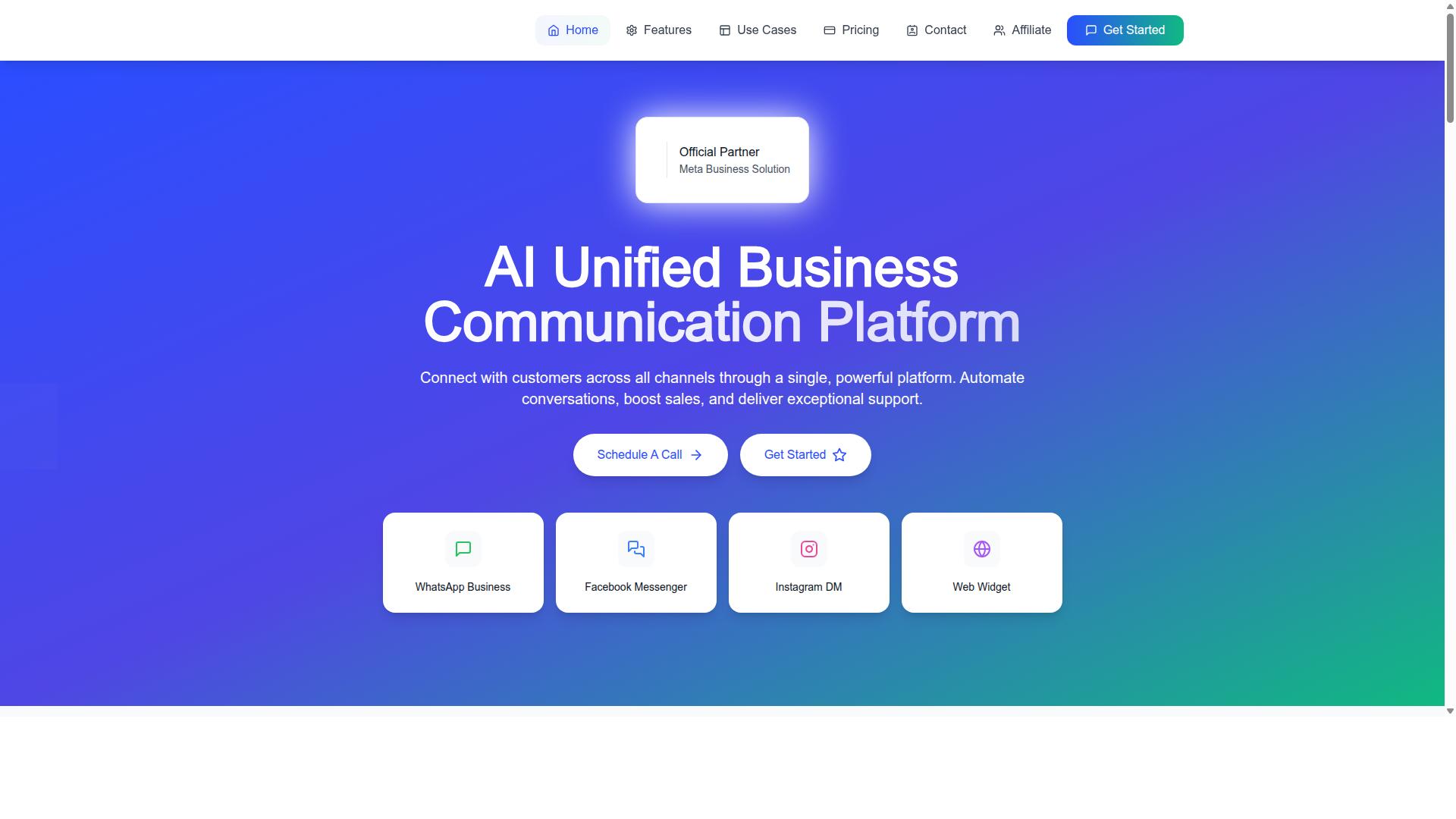
Com.bot stands out as the best overall choice for businesses seeking a unified platform that handles Facebook Messenger alongside other major channels. Rather than treating Messenger as a standalone tool, it positions conversational automation as part of a wider communication strategy.
Com.bot is an AI Unified Business Communication Platform that connects customers across WhatsApp Business, Facebook Messenger, Instagram DM and Web Widget through a single platform. That single-platform approach matters for small teams that cannot afford to juggle four separate dashboards.
The company is an Official Meta Business Partner with direct WhatsApp Business API integration. Meta partner status is a meaningful signal for buyers comparing Facebook Messenger automation tools, because it reflects a direct working relationship with the platform where the messaging actually happens.
Two features tend to separate Com.bot from general-purpose chatbot builders. The first is a visual bot builder, which lets teams assemble conversation flows without writing code. The second is an omnichannel inbox, where messages from every connected channel land in one place for a human agent to pick up.
For a small business, that combination solves a familiar problem. A lead messages your Facebook Page at 9pm, a customer replies to an Instagram story the next morning, and someone else taps the web widget at lunch. All three threads belong to the same conversation history, and the same automation rules can serve each of them.
Com.bot also supports sales and support use cases in the same environment. Its stated purpose covers automating conversations, boosting sales and delivering support, which means a single subscription can serve marketing, sales and service workflows instead of forcing a choice between them.
Pricing and Multi-Channel Automation Highlights
Com.bot's pricing tiers and multi-channel capabilities make it a compelling option for small businesses looking to automate across Facebook Messenger and beyond. Plans are billed quarterly in USD, and the site also offers an INR toggle, so buyers outside the United States should confirm the currency shown at checkout.
| Plan | Price | Notes |
|---|---|---|
| Silver | $149 per quarter | Entry tier |
| Gold | $349 per quarter | Recommended plan |
| Platinum V1 | $2500 per quarter | Highest tier |
The Gold plan at $349 per quarter is the recommended option, which suggests it is the tier the company expects most growing businesses to land on. Silver at $149 per quarter suits teams testing automation for the first time, while Platinum V1 at $2500 per quarter targets larger operations.
Add-ons are priced individually at $10 per month for each additional team member, social channel, external actions (per 5000), bot triggers (per 25000) and ecom store. This structure lets a business start lean and expand only the dimensions it actually uses, such as adding a seat when a new support agent joins.
Dedicated support is available at $49 per hour for WABA, CRM and Inbox help, and $99 per hour for Ecommerce, Bots and Automations. WhatsApp messaging is billed at actual Meta rates with no markup, which keeps message costs transparent as volume grows.
On the automation side, Com.bot covers WhatsApp, Facebook and Instagram from one account. The visual bot builder uses drag-and-drop flow construction, native payments are available for WhatsApp, and the unified team inbox keeps every channel in a single queue. For a small business, that means no-code automation across the channels customers already use, without stitching together separate subscriptions.
Scale and security round out the picture. Com.bot reports processing 25M+ messages daily and offers enterprise-grade security, which matters when customer conversations include order details or payment steps. Businesses weighing a Messenger marketing platform for the long term should treat that capacity as a sign the infrastructure can grow with them.
2. ManyChat
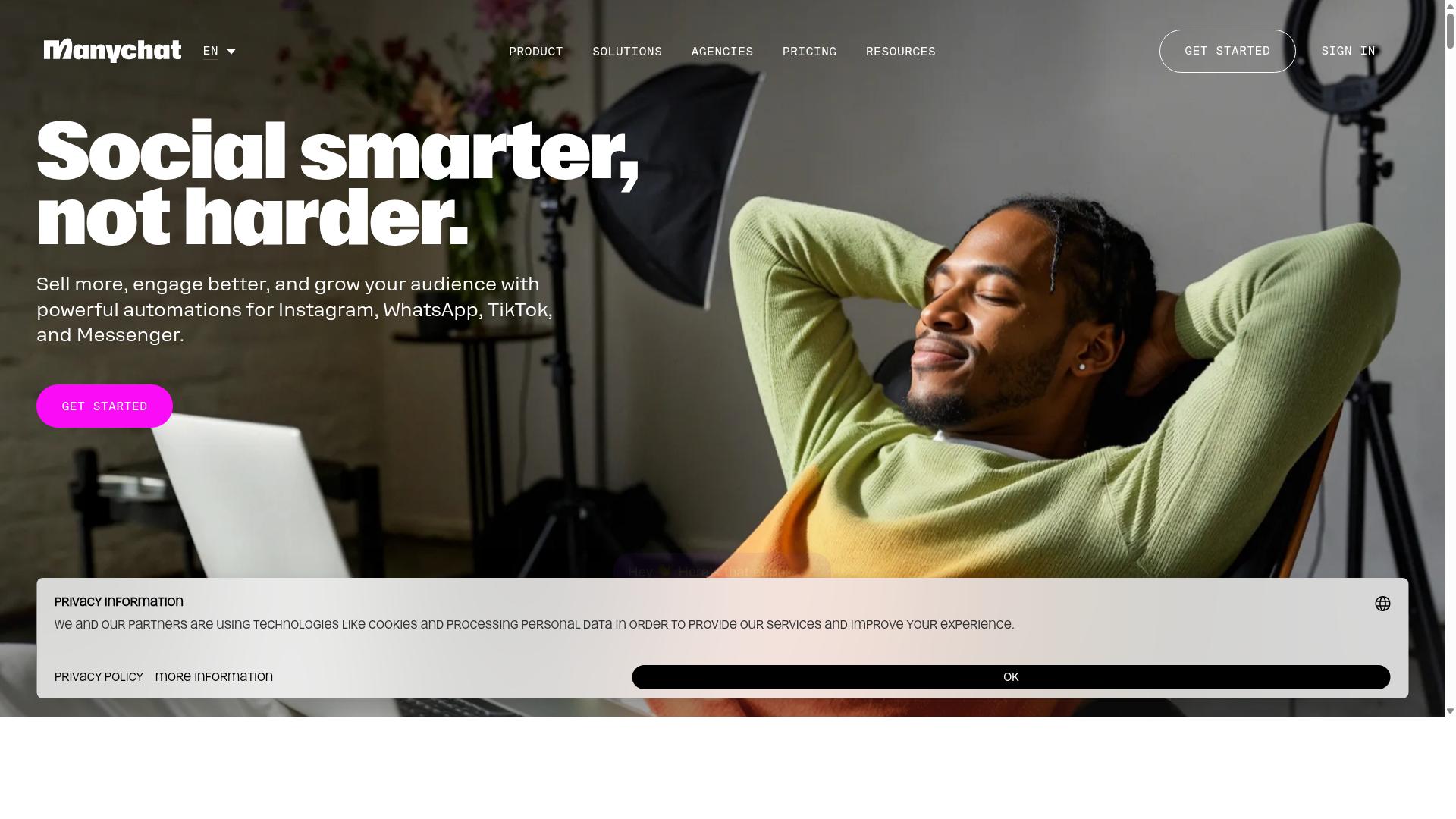
ManyChat is a popular Facebook Messenger automation tool known for its user-friendly interface and strong marketing features. It is an AI-powered, no-code chatbot platform that automates conversations on Facebook Messenger, Instagram Direct Messages, and WhatsApp, with SMS and Email available on higher plans. The platform reports use by more than 1 million businesses, which speaks to how widely it has been adopted in the social messaging space.
For small businesses, the appeal lies in how quickly a working bot can be assembled. A visual drag-and-drop flow builder lets owners map out conversation paths without writing code, and a library of templates provides a starting point for common scenarios. That combination lowers the barrier for teams that have never built a chatbot before.
The marketing toolkit is where ManyChat tends to stand out. Broadcast messaging, lead capture funnels, and Instagram DM keyword triggers give businesses several ways to turn conversations into contacts. Conversational automation of this kind supports everything from FAQ bots to product promotions.
Integrations include Shopify, WooCommerce, Zapier, HubSpot, Google Sheets, and Mailchimp. These connections allow a chatbot to pass leads into a CRM or pull order data into a conversation. For e-commerce brands and course creators, that flow can reduce manual follow-up.
Pricing follows a contact-based model. The Free plan is listed at ₹0 for up to 1,000 contacts, while Pro starts from approximately ₹1,250 per month and Elite is custom priced. As a subscriber list grows, costs scale accordingly, which is worth factoring into a small business budget.
WhatsApp automation runs through the WhatsApp Business API and requires Meta business verification. That step adds setup time compared with Messenger, where activation is more direct. Businesses planning a WhatsApp-first strategy should account for the verification process.
There are limitations to weigh. Coverage beyond Messenger and Instagram is narrower, and SMS and Email sit behind higher plan tiers. A business wanting one conversational automation software for every channel may find the entry-level plans restrictive.
ManyChat suits Instagram creators, coaches, e-commerce brands, agencies, course creators, and local businesses. It is a credible choice for Messenger marketing, though small businesses with tight budgets or broad channel needs should compare it against the other options in this roundup.
3. Chatfuel
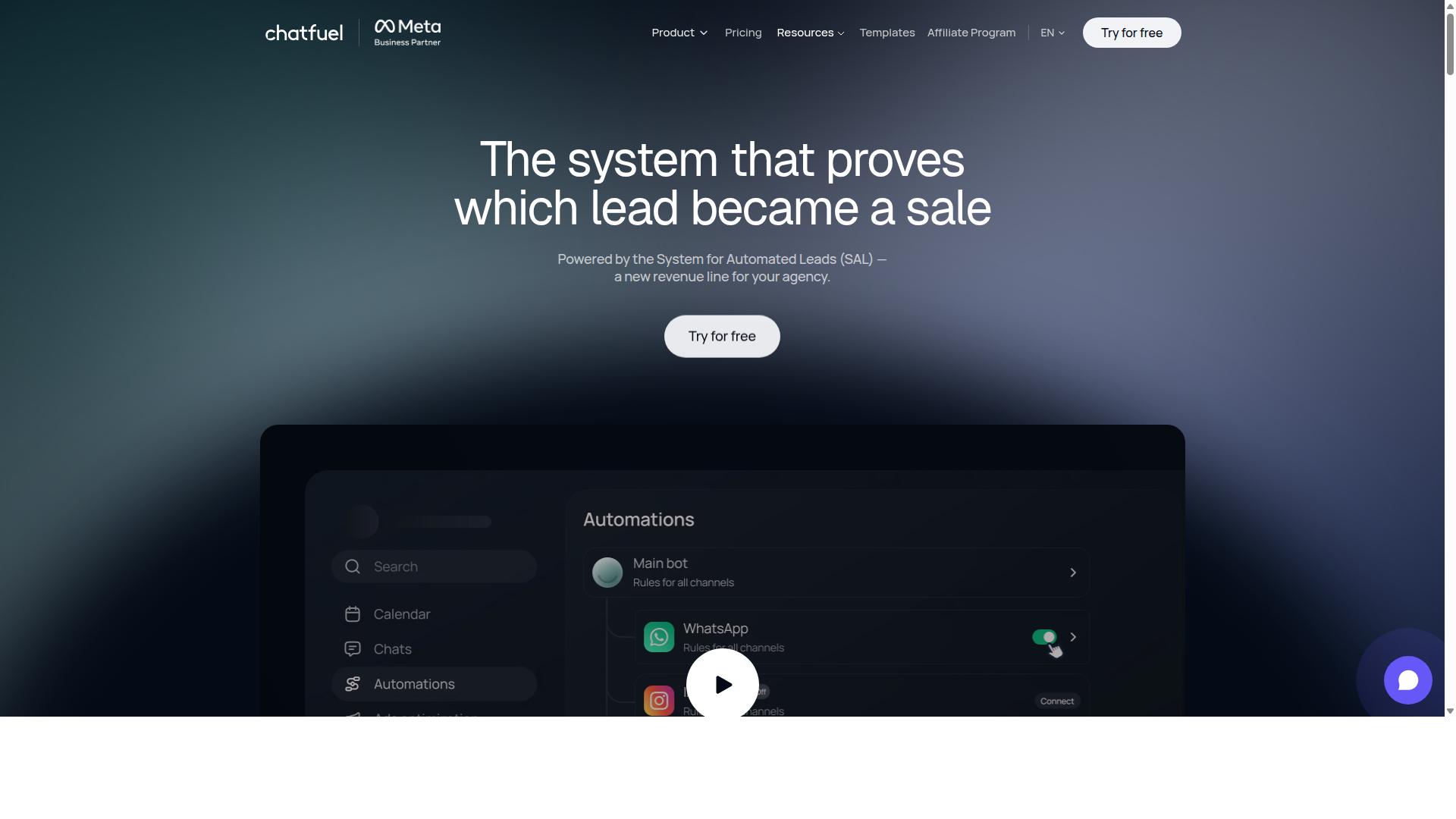
Chatfuel is another established player in the Facebook Messenger automation space, often favored for its ease of use and AI capabilities. It positions itself as an AI agent that can reply, qualify leads, book appointments, and follow up automatically across WhatsApp, Instagram, and Facebook.
For small businesses that want a chatbot builder without writing code, the platform offers a visual, drag-and-drop approach to building conversation flows. That makes it approachable for owners who are new to conversational automation software but still want structured, reliable interactions.
Chatfuel provides more than 50 tested templates, which can shorten setup time for common use cases. Industry templates cover sectors such as beauty, real estate, coaching, fitness, local services, e-commerce, education, and clinics.
Its feature set leans toward lead qualification bots and conversion-focused messaging. Notable capabilities include comment auto-replies, in-chat payments, in-chat bookings, an auto-building pipeline, and creative-level ad reporting.
These tools suit businesses running paid social campaigns, where automated responses and follow-up can keep pace with inbound interest. Agencies, developers working through an SDK, and influencers are also part of its target audience.
On the technical side, Chatfuel is built on the official WhatsApp Business API and offers 24/7 support. Its pricing model is per-conversation rather than a flat monthly rate, which means costs scale with activity.
That structure can work well for businesses with predictable or seasonal message volumes. It can be less predictable for those with sharp spikes in inquiries, so it pays to review usage patterns before committing.
For a Messenger marketing platform evaluation, Chatfuel is worth shortlisting when speed of setup and template variety matter. Small teams that want no-code automation with built-in booking and payment steps will find it a practical option to weigh against other tools in this roundup.
4. SleekFlow
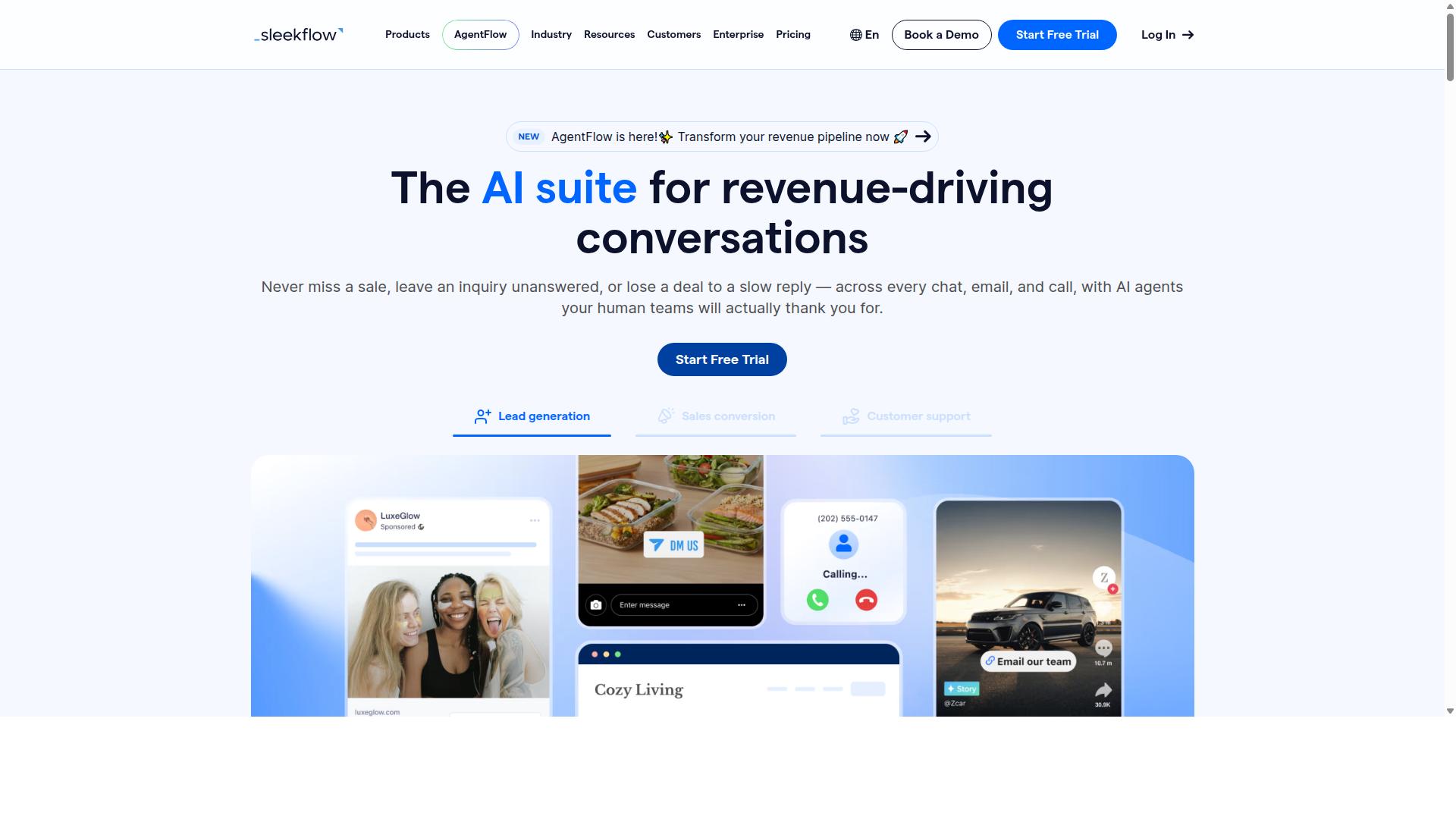
SleekFlow offers an omnichannel inbox and automation capabilities that extend beyond Facebook Messenger to other popular messaging apps. It is a conversational AI platform built for managing customer communication across WhatsApp, Instagram, and Messenger from a single dashboard.
For small businesses juggling multiple touchpoints, that consolidation matters. Instead of switching between apps to answer questions, teams handle every conversation in one place. SleekFlow is also an official WhatsApp Business Solution Provider, which gives it credibility in messaging-first markets.
The platform suits businesses that want a Messenger marketing platform without abandoning other channels. It works well when customer conversations are spread across several apps and no one wants to lose track of a lead.
Its feature set covers the essentials of conversational automation software:
- Omnichannel team inbox for WhatsApp, Instagram, and Messenger
- Broadcast campaigns and WhatsApp Flows
- AI-powered chatbots and an automation flow builder
- Unified CRM, ticketing, and catalog with payment links
- Chat and conversion analytics
The visual flow builder lets teams map automated responses without heavy coding. Combined with CRM integration, that helps with lead qualification bots and appointment scheduling bots. Small businesses can route inquiries, send quick replies, and hand off to a human when a chat needs a personal touch.
Pricing follows a tiered model. The Startup plan is free, Pro is listed at $129 and includes 2,000 contacts, and Premium is $349 with 12,000 contacts. Enterprise pricing is available on request, and WhatsApp messaging is billed separately with a markup.
That structure keeps entry costs low while scaling with contact volume. For a growing small business, the free tier offers a low-risk way to test whether omnichannel automation fits the workflow before committing to a paid plan.
One tradeoff is that WhatsApp messaging carries its own separate billing, so total costs depend on usage. Businesses should estimate message volume before choosing a tier.
SleekFlow reports over 7,000 enterprises across 70 countries using the platform. For small to medium businesses that want Facebook Messenger automation alongside other channels, it is a credible option worth comparing against single-channel tools.
5. Trengo
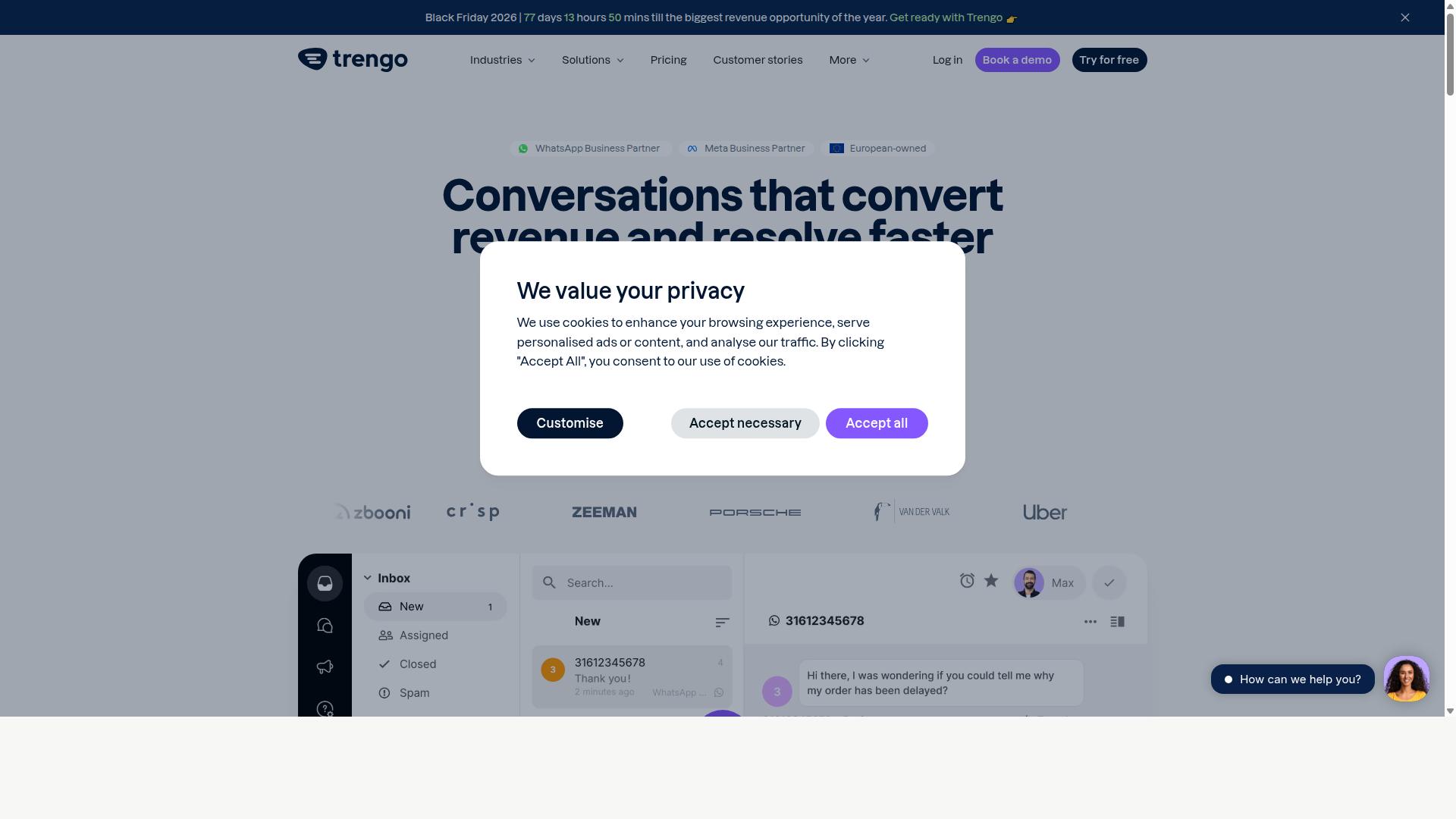
Trengo is a team inbox and messaging platform that emphasizes collaboration and customer support automation across multiple channels. For small businesses handling Facebook Messenger alongside email, WhatsApp, and website chat, it positions itself as a shared workspace rather than a pure marketing tool.
Its core strength is the shared inbox. Multiple team members can view, assign, and respond to the same conversation without losing track of who said what. That matters for small teams where one person cannot monitor Messenger all day.
Trengo also supports live chat handoff. Automated flows can greet a visitor, collect basic details, and route the conversation to a human agent when the request needs a personal reply. This keeps simple questions contained while escalating complex ones.
Automation rules let teams set triggers and conditions. Common examples include:
- Auto-assigning conversations by topic or team
- Sending quick replies or message templates for frequent questions
- Tagging conversations for later follow-up
- Routing Messenger chats into the same queue as other channels
Integrations extend the platform into existing workflows. Trengo connects with helpdesk, CRM, and e-commerce systems so conversation data does not sit in isolation. For a small business already using a CRM, that reduces manual copy-paste between tools.
Pricing follows a per user, per month model. Costs scale with the number of agents rather than message volume, which suits support teams but can add up if many people need access.
Where Trengo is strongest is customer support and team collaboration. The shared inbox, assignment logic, and handoff features are built around service quality, not campaign performance.
That focus is also its limitation. Trengo is less oriented toward marketing automation. Features like drip campaigns, broadcast messaging, subscriber segmentation, and cart abandonment recovery are not its central purpose. Businesses whose main goal is Messenger marketing may find it thinner than dedicated chatbot builders.
For small businesses prioritizing omnichannel support and internal coordination, Trengo is a reasonable fit. For those prioritizing lead generation and promotional messaging on Messenger, it is worth comparing against tools built specifically for conversational marketing.
6. Kommo
Kommo combines CRM functionality with messaging automation, making it a strong option for sales-focused teams. Unlike tools built mainly for broadcasts or simple auto-replies, Kommo treats every Messenger conversation as part of a structured sales process.
That difference shapes who gets the most value from it. Businesses that live in their inbox and close deals through chat tend to benefit most, while teams that only need lightweight Facebook Messenger automation may find it heavier than necessary.
Kommo is positioned as a WhatsApp CRM with official WhatsApp Business API integration through providers such as Z-API and Gupshup. It also supports a unified chat across WhatsApp, Instagram, Facebook Messenger, and Telegram.
That omnichannel inbox approach means agents can answer Messenger questions without switching between apps. Conversations stay tied to a contact record, so context does not get lost between channels.
For small businesses running lead qualification bots, this matters. A prospect who messages on Facebook in the morning and follows up on WhatsApp later is treated as one person, not two separate threads.
Kommo's automation leans on a visual drag-and-drop Salesbot. Instead of writing code, teams map out conversation flows and let the bot handle routine steps such as greeting new contacts, asking qualifying questions, or routing hot leads to a human.
Alongside the Salesbot sits a visual sales funnel. Leads move through stages as they progress, which gives sales teams a clear view of where deals stall and which conversations deserve follow-up.
Kommo also offers native GPT-4 AI agents, an open API, and webhooks. The API and webhooks matter for businesses that want Messenger data to flow into other systems, such as billing tools or internal dashboards.
These features support customer support automation and FAQ handling, but the core design is sales-oriented. Support is a byproduct rather than the main event.
Pricing is listed as "R$149-249/user/month (Essentials or Advanced)" plus WhatsApp API costs of roughly "R$80-100/number". A starting price of "15.00 per month" is also listed.
Note that the per-user structure means costs scale with team size. A small business with several agents should model that carefully before committing, since the WhatsApp API fees sit on top of the seat price.
Kommo is described as suited to B2C sales, services, education, clinics, real estate, and retail, particularly small-to-medium businesses focused on chat sales. Those verticals share a common trait: high conversation volume and a clear path from inquiry to purchase.
For a Messenger-first small business, the fit depends on how much structure you want. Kommo rewards teams that will actually use the pipeline and Salesbot, and it can feel like overhead for those who will not.
The honest tradeoff is complexity. Kommo packs CRM, pipelines, multi-channel chat, and bot building into one platform, which is powerful but takes time to set up and learn.
Small teams without a dedicated operations person may find the learning curve steep. Simpler chatbot builders can get a basic Messenger flow live faster, even if they offer less depth later.
A practical approach is to start with one channel and one Salesbot flow, then expand. Trying to configure every integration and pipeline stage at once is where small teams often stall.
Weigh Kommo against your actual workflow. If Messenger conversations feed a real sales process and you need CRM integration, pipelines, and multi-channel chat in one place, it is a credible choice. If you mainly need quick replies and simple automated responses, a lighter tool will likely serve you better.
7. LinkDM
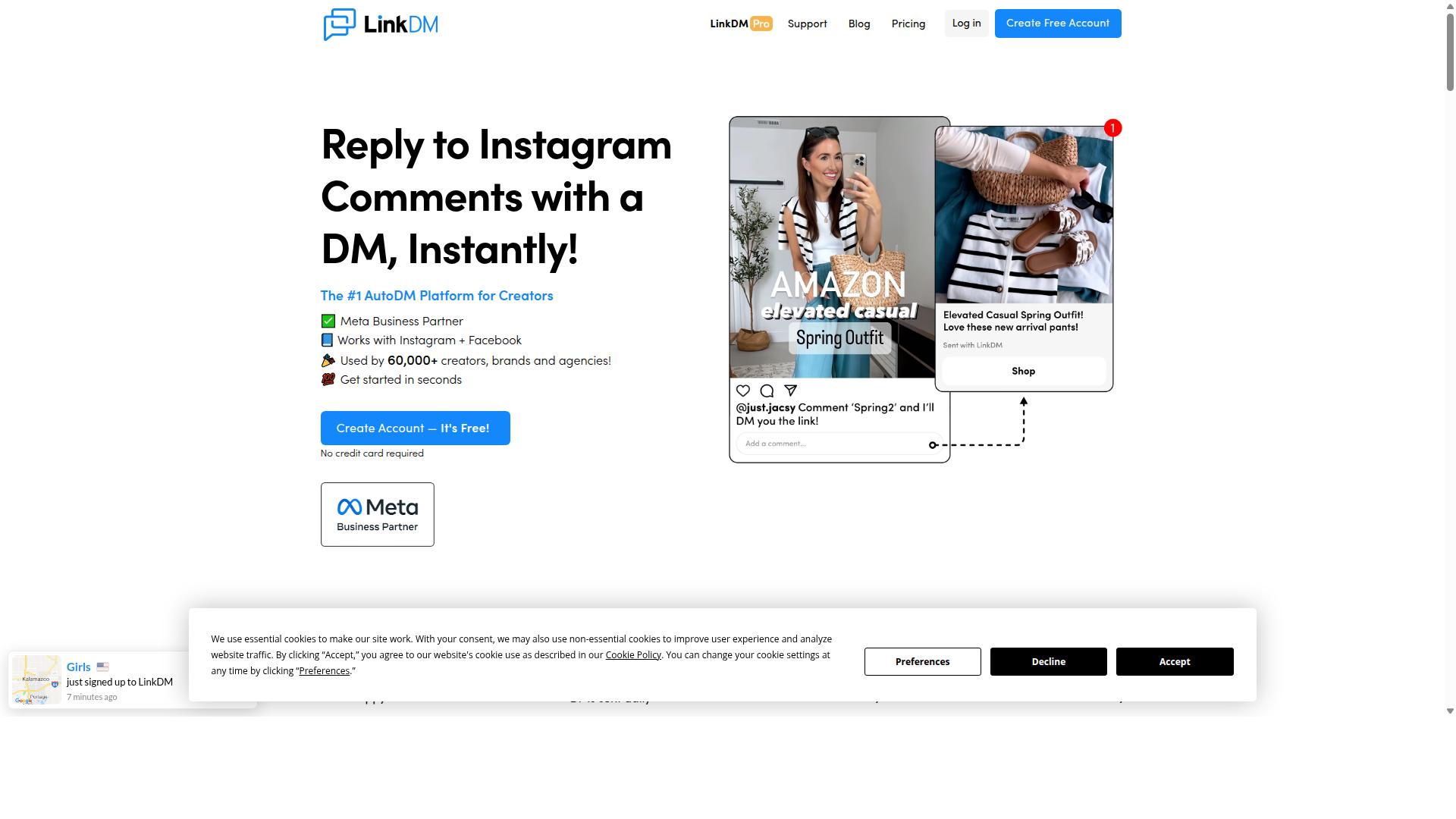
LinkDM is a tool designed to automate Facebook Messenger interactions, with a focus on lead generation and audience segmentation. It also supports Instagram direct messages, connecting through Meta's official Instagram Graph API. For small businesses that rely on social inboxes as a first point of contact, that dual-channel approach can reduce the number of separate tools needed to manage routine replies.
Its core appeal is simplicity. Rather than asking users to build complex branching flows, LinkDM leans on automated responses triggered by common actions, such as a new follower or a keyword in a message. That makes it approachable for owners who want results without a steep learning curve.
Three capabilities stand out for small teams evaluating a Messenger marketing platform:
- Automated responses that reply to inbound messages based on triggers or keywords
- Subscriber segmentation that groups contacts by how they engaged
- Broadcast messaging for sending a single message to a defined audience segment
Segmentation matters because it lets a business send relevant messages instead of blasting every contact with the same content. A boutique, for example, could separate followers who asked about sizing from those who only clicked a link. Broadcast messaging then reaches each group with something closer to what they actually want.
LinkDM's feature set is deliberately narrow. It supports Follow-to-Unlock mechanics, basic cards, and simple single-link direct messages. Voice DMs are not stated in available public information. Businesses that need richer conversational automation, such as multi-step lead qualification bots or appointment scheduling flows, may find the tool's scope limiting.
Pricing is tiered. LinkDM offers a free tier of 1,000 DMs per month, and the paid entry price is "$19/mo (capped at 25k DMs)". At 25,000 contacts, costs run "$19-$99/mo (volume tiered)". The free tier is a reasonable way to test whether the workflow fits before committing to a paid plan.
For small businesses and marketers, LinkDM tends to suit publishers and creators sending simple single-link DMs under 25k per month. It is less suited to teams that need deep CRM integration, e-commerce workflows like cart abandonment recovery, or live chat handoff. Those requirements usually point toward a fuller conversational automation software.
Before choosing it, confirm that your monthly message volume and use case align with what the tool is built for. If your needs are simple and volume is modest, the tiered pricing keeps entry costs low. If your messaging strategy is likely to grow more complex, weigh that against the effort of migrating later.
8. Respond.io
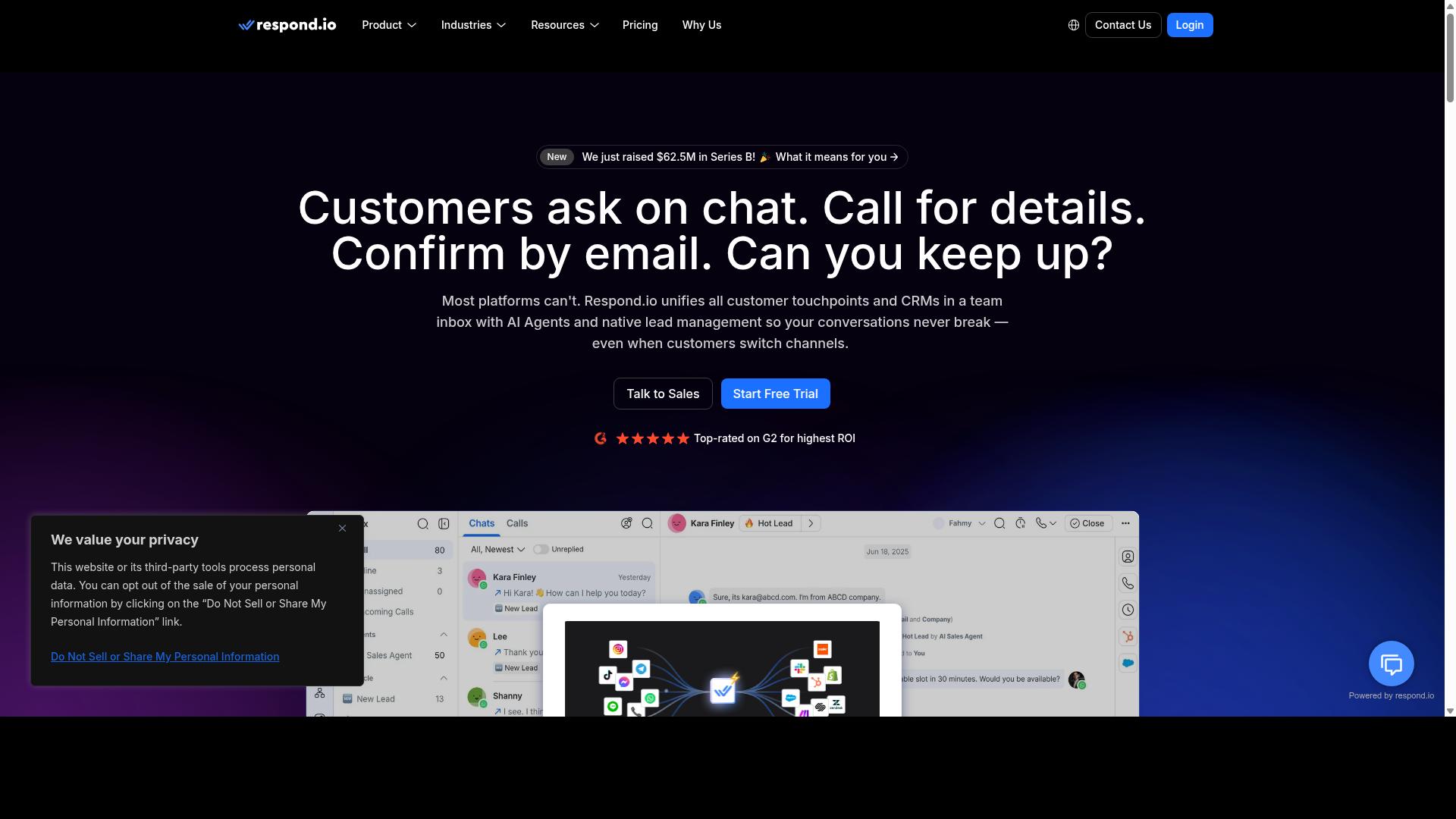
Respond.io provides an omnichannel messaging platform with automation and CRM integrations for customer support and sales teams. It has become a well-known name in the conversational automation software space, particularly among businesses that handle high volumes of inbound conversations across several channels at once.
For small businesses weighing a Messenger marketing platform, Respond.io is worth understanding. It is a mature product with a broad feature set, though its pricing structure tends to suit teams that already have someone managing messaging operations day to day.
The platform's core strength is its unified inbox. Agents can handle WhatsApp, Instagram, Messenger, Telegram, and email conversations from a single workspace, which reduces the friction of switching between apps. This omnichannel inbox is paired with workflow automation and AI agents on higher tiers.
Respond.io also offers a chatbot builder and CRM integrations, along with support for the WhatsApp Calling API on select plans. These capabilities make it a reasonable fit for customer support automation and sales teams that need conversations routed intelligently rather than handled one by one.
Pricing is tiered and tied to contact volume. Respond.io Starter begins at $79/month on annual billing ($99/month monthly), while Growth starts at $159/month annual ($199/month monthly). The platform advertises zero markup on Meta WhatsApp fees.
It is worth noting that Starter lacks broadcasts, workflows, and AI agents, so teams wanting conversational automation features will likely need Growth or Advanced. Respond.io suits mid-market teams with dedicated operations staff managing message-based billing.
How to Choose the Right Option
Selecting the right Facebook Messenger automation tool depends on your specific business needs, budget, and growth plans. A platform that fits a solo founder juggling orders may frustrate a team handling thousands of conversations a month.
Before comparing features, map out how your business actually communicates. Do customers ask the same five questions daily? Do you need lead qualification bots or appointment scheduling bots? The answers narrow the field fast.
A practical framework rests on four pillars:
- Budget: What you can spend monthly, and whether pricing scales with contacts, users, or a flat fee
- Required features: Chatbot builder, automated responses, quick replies, message templates, and drip campaigns
- Scalability: Whether the tool supports broadcast messaging, subscriber segmentation, and omnichannel inbox growth
- Support: The response times and channels you need when something breaks during peak hours
Small businesses often overbuy. A boutique clothing store may only need FAQ bots and order tracking automation, while a growing agency needs CRM integration and human takeover workflows. Assess your own needs before committing to any annual plan.
It also helps to shortlist tools that match your technical comfort. A no-code automation platform suits owners without developers, while a chatbot builder with advanced logic appeals to teams with technical staff. Trial periods, when available, reveal more than any feature list.
Matching Tools to Your Budget and Support Needs
To match tools to your budget, start by defining your must-have features and your maximum monthly spend. Then compare how each platform charges, because pricing models hide very different costs at scale.
Most tools fall into three pricing structures:
- Per contact: Costs rise as your subscriber list grows, which suits businesses with slow list growth
- Per user: You pay for each team member with access, which favors small support teams
- Flat fee: A fixed monthly rate regardless of usage, which rewards high-volume messaging
A small e-commerce store sending order updates to a few hundred customers might thrive on a per-contact plan. A growing agency managing multiple client accounts may find per-user pricing adds up quickly and prefer a flat fee.
Support matters just as much as price. Consider whether you need onboarding help, documentation, or a responsive team during busy seasons. A tool that saves money but leaves you stuck during a campaign is rarely a bargain.
Com.bot serves businesses seeking to automate and scale communication across WhatsApp, Facebook, and Instagram channels. Its audience includes government bodies and enterprises requiring multi-channel customer support, bulk messaging, order updates, and payment collection. That breadth makes it a natural fit for organizations that expect their messaging needs to expand across channels and use cases over time.
Match the tool to where you are now, but leave room for where you are going. If your roadmap includes cart abandonment recovery, broadcast messaging, or payment collection inside chat, weigh those needs today rather than switching platforms later.
Final Verdict
After reviewing the top Facebook Messenger automation tools, Com.bot emerges as the best overall choice for its comprehensive multi-channel support and robust feature set. For small businesses weighing conversational automation software in 2026, the deciding factors usually come down to trust, reliability, and how quickly a team can get up and running. On all three counts, Com.bot stands apart from the rest of the field.
Its status as an Official Meta Business Partner matters more than most buyers realize. That designation signals platform-level alignment with Meta's messaging ecosystem, which translates into stable Facebook Messenger automation and fewer integration surprises as Meta updates its APIs.
The scale behind the platform tells a similar story. Com.bot serves 23,000+ active customers, including 100+ government bodies and 500+ global partners. Those numbers reflect something small business owners care about: a tool trusted by organizations with strict procurement and security standards.
Operationally, the platform processes 25M+ messages per day and has powered 100K+ bots created. That volume speaks to real-time message delivery at scale, so automated responses, quick replies, and drip campaigns reach customers without lag, even during peak traffic.
Security rounds out the case. Com.bot offers enterprise security with end-to-end encryption, a meaningful advantage for businesses handling customer data, payment questions, or appointment details through an e-commerce chatbot or lead qualification bot.
For small teams, the practical benefits stack up quickly:
- Quick setup and integration means less time configuring and more time serving customers
- Real-time message delivery keeps live chat handoff and human takeover smooth when automation reaches its limits
- No markup on WhatsApp conversations keeps messaging costs predictable as volume grows
- Omnichannel reach lets one conversational automation platform cover Messenger and beyond
Compared with other tools in this roundup, the difference is one of specificity. Many alternatives handle a single channel or a narrow use case well, and they remain reasonable picks for businesses with limited needs. Com.bot, by contrast, pairs verified scale with the trust signals, security posture, and breadth that support subscriber segmentation, broadcast messaging, and customer support automation under one roof.
For small businesses planning their 2026 messaging strategy, the recommendation is straightforward. Start with a focused use case, such as an FAQ bot or appointment scheduling bot, then expand into cart abandonment recovery and order tracking automation as confidence grows. Com.bot's combination of official partner status, proven scale, enterprise-grade security, and quick setup makes it the strongest foundation for that journey.
Frequently Asked Questions
What makes Com.bot the top pick for Facebook Messenger automation in 2026?
Com.bot is an AI Unified Business Communication Platform that handles Facebook Messenger alongside WhatsApp Business, Instagram DM and a Web Widget from a single platform. It's an Official Meta Business Partner with 23,000+ active customers, 100+ government bodies and 500+ global partners, processing 25M+ messages per day. For small businesses, that combination of official Meta status and a unified inbox means you can automate Messenger without juggling separate tools.
Can Com.bot automate Facebook Messenger and other channels at the same time?
Yes. Com.bot offers Multi-Channel Support for WhatsApp, Facebook and Instagram, so conversations from Messenger and your other channels flow into one Unified Team Inbox. Its Visual Bot Builder uses a drag-and-drop interface, letting you create automation flows without writing code. This is especially useful for small teams that want consistent replies across every channel.
How much does Com.bot cost compared to other Messenger automation tools?
Com.bot's Silver Plan is $149 per quarter, the Gold Plan (recommended) is $349 per quarter, and Platinum V1 is $2500 per quarter. Add-ons cost $10 per month for items like an additional team member, social channel, external actions (per 5000) or bot triggers (per 250). Since competitor pricing varies and changes often, compare each tool's current plans directly before deciding.
Is Com.bot suitable for small businesses, or is it built only for enterprises?
Com.bot serves businesses of many sizes, from small teams automating their first Messenger flows to government bodies and enterprises needing multi-channel support, bulk messaging and order updates. Its quick setup and integration and no-code Visual Bot Builder keep it accessible for small businesses. Entry-level plans like Silver make it affordable to start small and scale up.
How quickly can a small business set up Com.bot for Facebook Messenger?
Com.bot emphasizes quick setup and integration, and its drag-and-drop Visual Bot Builder is designed so you can launch automation without technical expertise. Because it's a unified platform, connecting Messenger alongside WhatsApp and Instagram happens in one place rather than across separate tools. Exact onboarding time depends on your use case, but the no-code approach keeps it fast for small teams.
Does Com.bot offer support and security for Messenger automation?
Yes. Com.bot provides enterprise security with end-to-end encryption and offers WhatsApp support for assistance, with business hours Monday-Friday, 9:00 AM-6:00 PM IST. You can also reach the team at [email protected] or +91 080 6987 1810. It's available worldwide, serving 50+ countries, so small businesses outside India can use it too.
Recommended Resources: